





A company buys a CRM, configures it for months, and announces the launch in a company-wide email. Six weeks later, its best reps still keep their real pipeline in a private spreadsheet. Salesforce’s fifth State of Sales report helps explain why. Sales reps spend only 28% of their week selling, and deal management and data entry consume most of the rest. The same report found that 66% of reps feel overwhelmed by the number of tools they use. A CRM that adds clicks without adding value starts that race from behind.
Prosci’s change management research shows what is at stake. Of the projects with excellent change management, 88% met or exceeded their objectives. Among projects with poor change management, only 13% did.
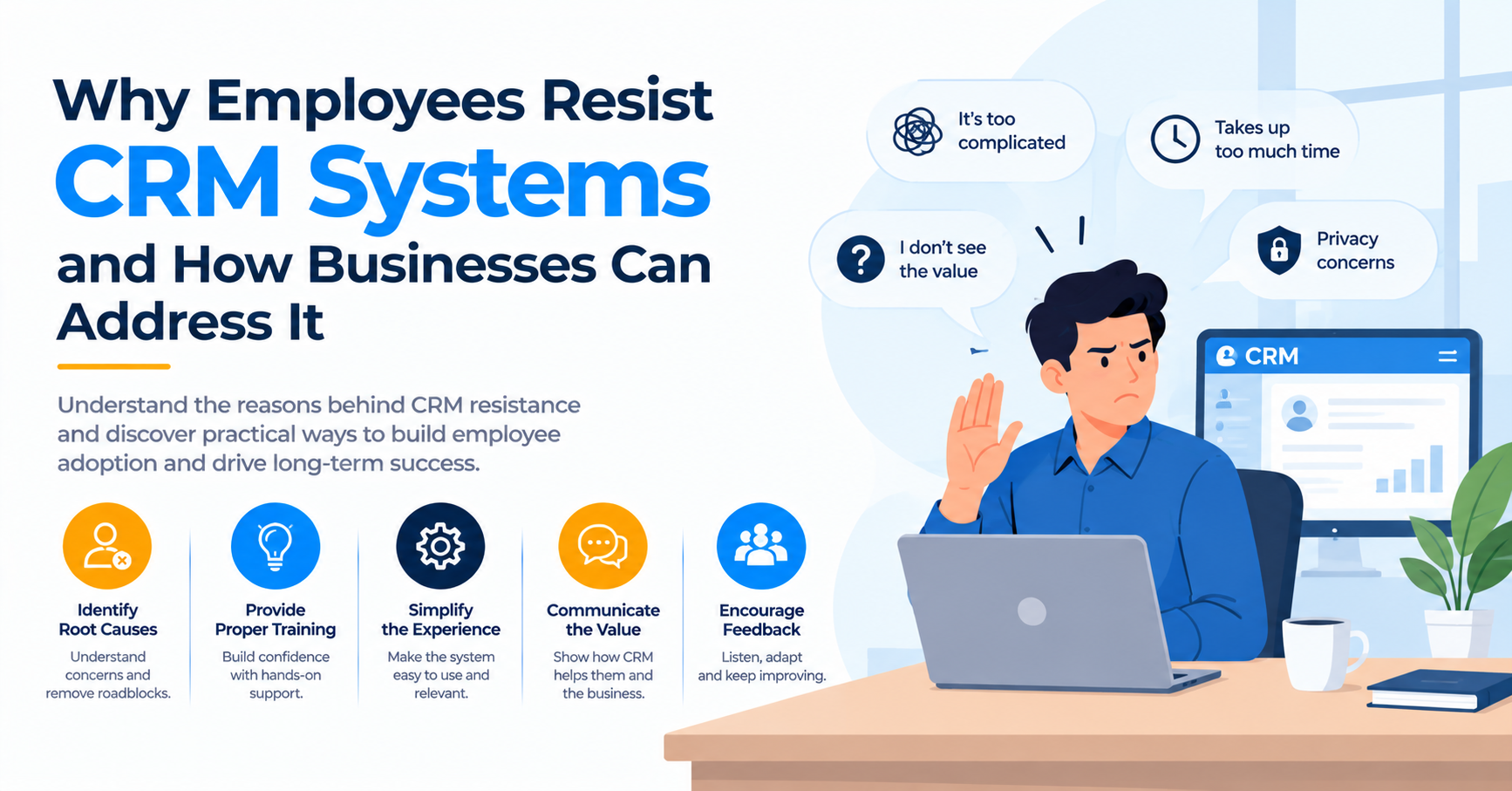
Employees resist a CRM when it costs them time, exposes them to scrutiny, or ignores how they work, and when nobody in authority treats the data as important. Training alone does not fix that. Leaders need to change the work itself. Cut data entry, give users something useful in return, build screens around real workflows, and make managers run their reviews from the system.
Why Employees Push Back on a New CRM
Resistance is rarely stubbornness. It is usually a sensible reaction to a tool that takes more than it gives. Four causes appear again and again.
Data entry with no payoff
Reps and agents type details so someone else can build a report. They see no benefit in their own day. Long forms with many mandatory fields make it worse. If logging a five-minute call takes ten minutes, people skip it or save it for the end of the day, and accuracy suffers. Given the 28% selling figure above, every extra field competes directly with customer time.
Fear of surveillance
Some staff read the CRM as a monitoring tool. If managers first mention it while questioning activity counts, employees treat it as a threat. They log only what protects them. The data then looks complete but tells you little. How leaders explain the purpose of the system matters as much as the system itself.
Poor fit with daily work
A CRM built around the org chart instead of the workflow forces workarounds. A field technician who needs offline access on a phone will not accept a desktop-first layout. A service agent who needs contract terms on the case screen will not open three tabs. Generic training cannot repair a design that fights its users.
Weak training and absent leaders
One generic session for every role leaves each group short of what it needs. Worse, when executives ask for numbers from spreadsheets, they teach everyone which system really counts.
How to Spot Resistance Before the Reports Show It
Low login counts arrive late. Behavior changes earlier, and a few simple signals reveal where the friction sits. The table below pairs each signal with the likely cause and a metric you can track.
| Signal | Likely cause | Metric to watch |
| Notes live in personal spreadsheets | Screens do not match the work | Records created after the deal closes |
| Entries appear in end-of-day batches | Entry takes too long | Hours between activity and log |
| Many blank or default values | Fields feel pointless | Completeness of required fields |
| Managers request separate reports | Distrust of CRM data | Number of off-system reports |
| Frequent “how do I” tickets | Training gaps by role | Ticket volume per role |
Review these numbers by team, not company-wide. An average hides the one region or role that has quietly given up.
Redesign the Work Before You Train the People
Training cannot rescue a system that fights its users, so change what the system asks of them first. Work through these steps in order.
1. Interview users by role, and shadow a few of them for a full day.
2. Remove every mandatory field that nobody uses.
3. Automate capture. Sync email and calendar, log calls from the phone, and pull order or billing data from other systems.
4. Return value to the user. Offer account summaries, next-step prompts, and faster quoting.
5. Build mobile and offline paths for anyone who works away from a desk.
6. Pilot with a small group that includes known skeptics, then fix what they report.
Skeptics make the best testers. If the person who dislikes the CRM most says it saves time, the rest of the team will follow.
Make Leaders and Managers Part of the Fix
People copy what their managers measure. If pipeline reviews run from the CRM, reps keep it current. If reviews run from slides, they do not.
Sponsorship carries real weight here. Prosci data, as summarized by Insentra, show that projects with extremely effective sponsors met their objectives 79% of the time, against 27% for projects with extremely ineffective sponsors. Practical moves include:
1. Run every pipeline, service, and forecast meeting from live CRM screens
2. Name one champion per team to collect feedback and share quick wins
3. Publish a short policy on how the company will and will not use CRM data
4. Recognize good data practice publicly, and avoid punishing gaps in the first months
When to Bring in Outside Salesforce Consulting Services
Some adoption problems need configuration depth that internal admins lack time to provide. Page layouts by role, mobile design, integration of order data, and cleanup of years of duplicate records all fall in that group.
In those cases, outside Salesforce Consulting Services can fill the gap, as long as the scope covers adoption and not only the build. Ask any provider how it researches user needs, how it handles role-based training, and what it measures after go-live. A consultancy that reports only on testing sign-off has not answered the adoption question. Also confirm that your own administrators can maintain every change after handover. Dependence on an outside team recreates the problem you set out to solve.
Case Example of a Manufacturer That Fixed Adoption After Two Failed Rollouts
A multimillion-dollar manufacturing company described by training vendor ScreenSteps had already failed twice at CRM implementation. It wanted Salesforce to standardize sales processes across national, regional, inside, and partner reps, and it decided to start with training, not features.
Reps first attended live sessions. They then completed a 90-minute virtual course that linked to knowledge base articles, how-to videos, and knowledge checks, so they could look up any step they forgot. The company reports 99% adoption among its sales reps before launch day, along with faster training and fewer support requests.
Treat the story with care. The vendor wrote it, the manufacturer stays anonymous, and the company did not publish revenue or cost figures. Still, the pattern fits the research above. After two failures, leaders stopped treating adoption as an afterthought and gave it a plan, a budget, and a measure.
Measuring the Business Impact of Better Adoption
Adoption pays back through time, data quality, and decision speed. Measure each before and after the rollout, and compare the results by team.
Useful metrics include:
1. Share of activities logged within 24 hours
2. Completeness of required fields
3. Forecast accuracy
4. Time to produce a quote
5. Number of off-system reports
6. Support tickets per user
Use Prosci’s contrast as your planning reference. Projects with excellent change management meet their objectives about 88% of the time, and projects with poor change management reach them 13% of the time. Funding adoption work looks cheap next to that gap.
A hypothetical example shows the math. Assume 80 reps each save three hours a week because of fewer fields and automatic capture. Over 46 working weeks, that adds up to 11,040 hours. At a loaded cost of $45 per hour, the recovered time equals about $496,800 a year. Those hours also return to selling, which the 28% figure suggests is where reps need them most. The numbers are illustrative, not a client result, so replace them with your own.
Final Thoughts for Leaders Rolling Out a CRM
Employees do not resist CRM systems because they dislike technology. They resist systems that waste their time, feel like surveillance, or ignore their work. Treat that resistance as design feedback.
Start by watching behavior, not login counts. Remove effort from the user’s day, show what the data does for them, and make managers use the system in every review. Add outside help where your team lacks capacity, and hold any partner to adoption results. A CRM earns its place the same way any tool does, by making daily work easier than the alternative.
About The Author